A look at the console
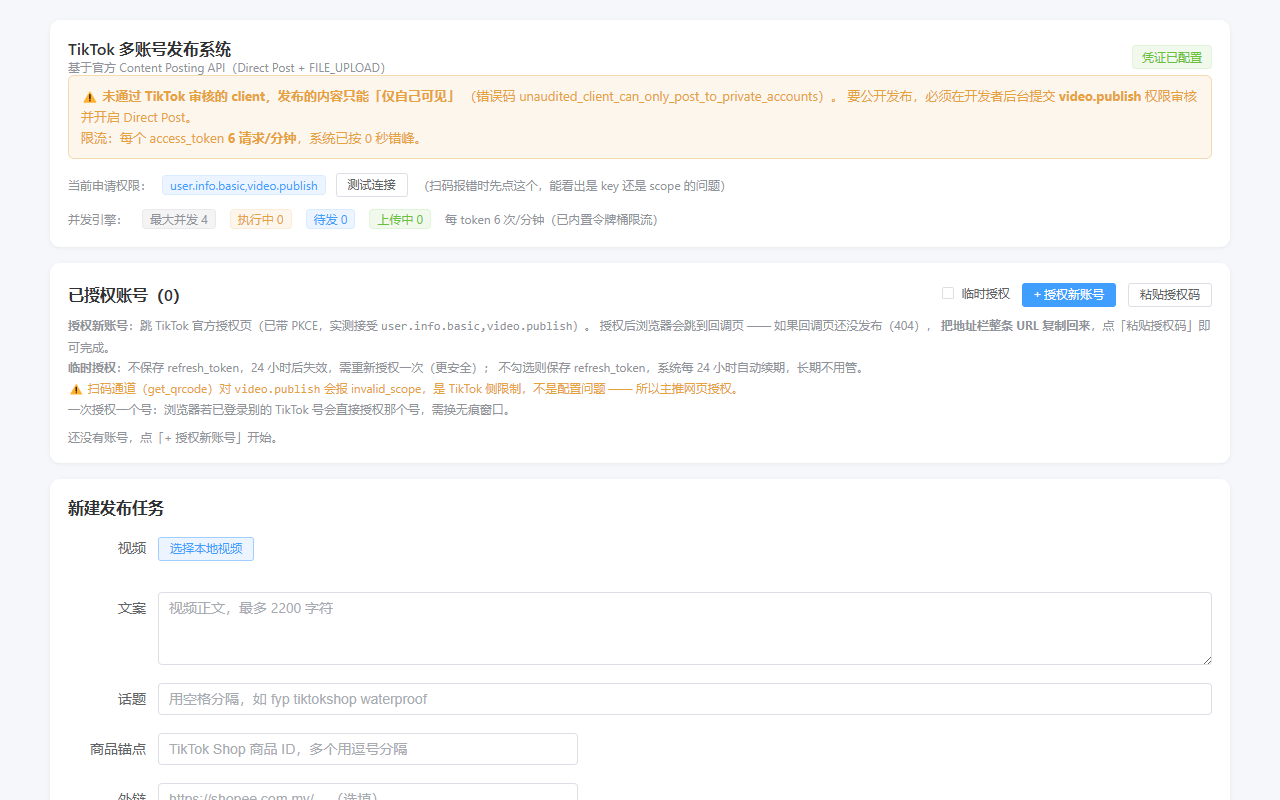
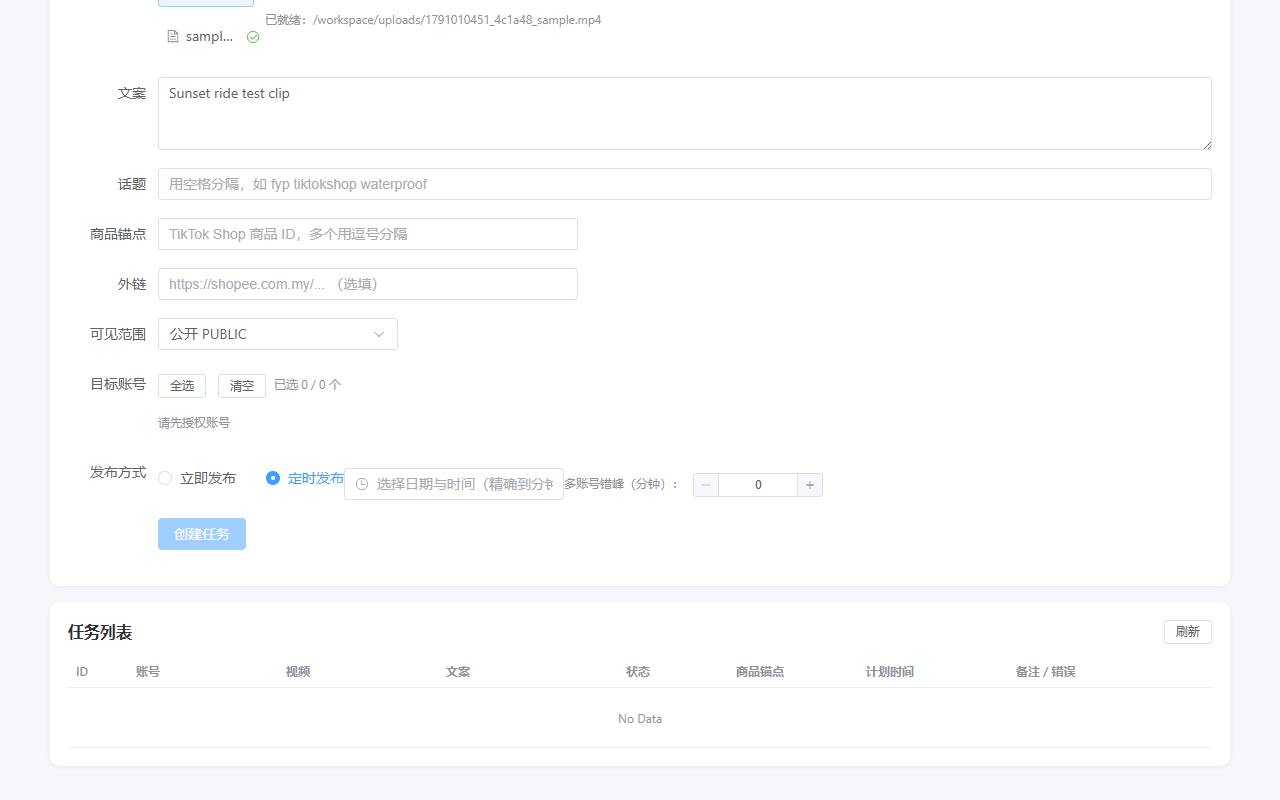
The dashboard is a working web application — the screenshots below are the real screens used to connect accounts and schedule posts.
MultiPost Studio is a web-based tool for creator teams and agencies: connect several TikTok accounts through official OAuth authorization, upload a video once, and publish it to the right accounts at the right time.
The dashboard is a working web application — the screenshots below are the real screens used to connect accounts and schedule posts.
Everything a small team needs to run several TikTok accounts without logging in and out of devices all day.
Connect multiple TikTok accounts in one dashboard. Each account is authorized individually through TikTok's official Login Kit.
Upload a local video file, add caption and hashtags, then select any combination of connected accounts as publish targets.
Publish immediately or schedule to a specific date and time — accurate to the minute. A built-in queue fires each task automatically.
When publishing to several accounts, tasks are automatically spaced out to respect TikTok's rate limits and keep accounts safe.
Every task shows its live status — queued, uploading, published, or failed — so you always know what went out and when.
Optionally attach a TikTok Shop product link to a video so viewers can go straight from content to product page.
Three steps from sign-in to published video.
Click "Authorize account" and sign in with TikTok. You approve the requested scopes once per account and can revoke access at any time from your TikTok settings.
Pick a video file, write the caption with hashtags, choose target accounts, and set "Publish now" or an exact date and time.
The scheduler uploads and posts each video through TikTok's official Content Posting API. Follow progress in the task list in real time.
MultiPost Studio only asks for what it needs to publish on your behalf — nothing more.
user.info.basic
Reads your display name and avatar so the account is easy to recognize in the dashboard. No private profile data is accessed.
video.upload
Uploads your selected video file to TikTok as the first step of the publishing flow.
video.publish
Posts the uploaded video to your profile — directly or at your scheduled time, depending on the task you created.
Built on TikTok's official developer platform.
All publishing goes through TikTok's official Content Posting API with OAuth 2.0 authorization. We never ask for your TikTok password.
We store only what the product needs: your account identifiers, authorization tokens, and your scheduled tasks. See our Privacy Policy for details.
Remove any account from the dashboard in one click, or revoke MultiPost Studio's access from your TikTok account settings at any time.
Quick answers about how MultiPost Studio works.
No. Accounts are connected through TikTok's official OAuth login. You sign in on TikTok's own page and grant permission there — your password is never seen by MultiPost Studio.
Yes. When creating a task you can pick any future date and time with minute-level precision. The built-in scheduler publishes automatically at that moment.
There is no hard limit in the product. Each account must be authorized individually, and publishing to many accounts in a short window is automatically staggered to respect TikTok's rate limits.
Remove the account from the dashboard, or go to TikTok → Settings → Security & permissions ("Manage app permissions") and revoke access. Revocation takes effect immediately.
Our Terms of Service and Privacy Policy are available from every page footer.
Questions about the product, authorizing your account, or removing access? Write to the support address registered in the Basic Information section of our app on the TikTok for Developers portal, or use the contact details included in the App Review notes.
Already have an access code? Open the console to connect an account and publish your first video.